
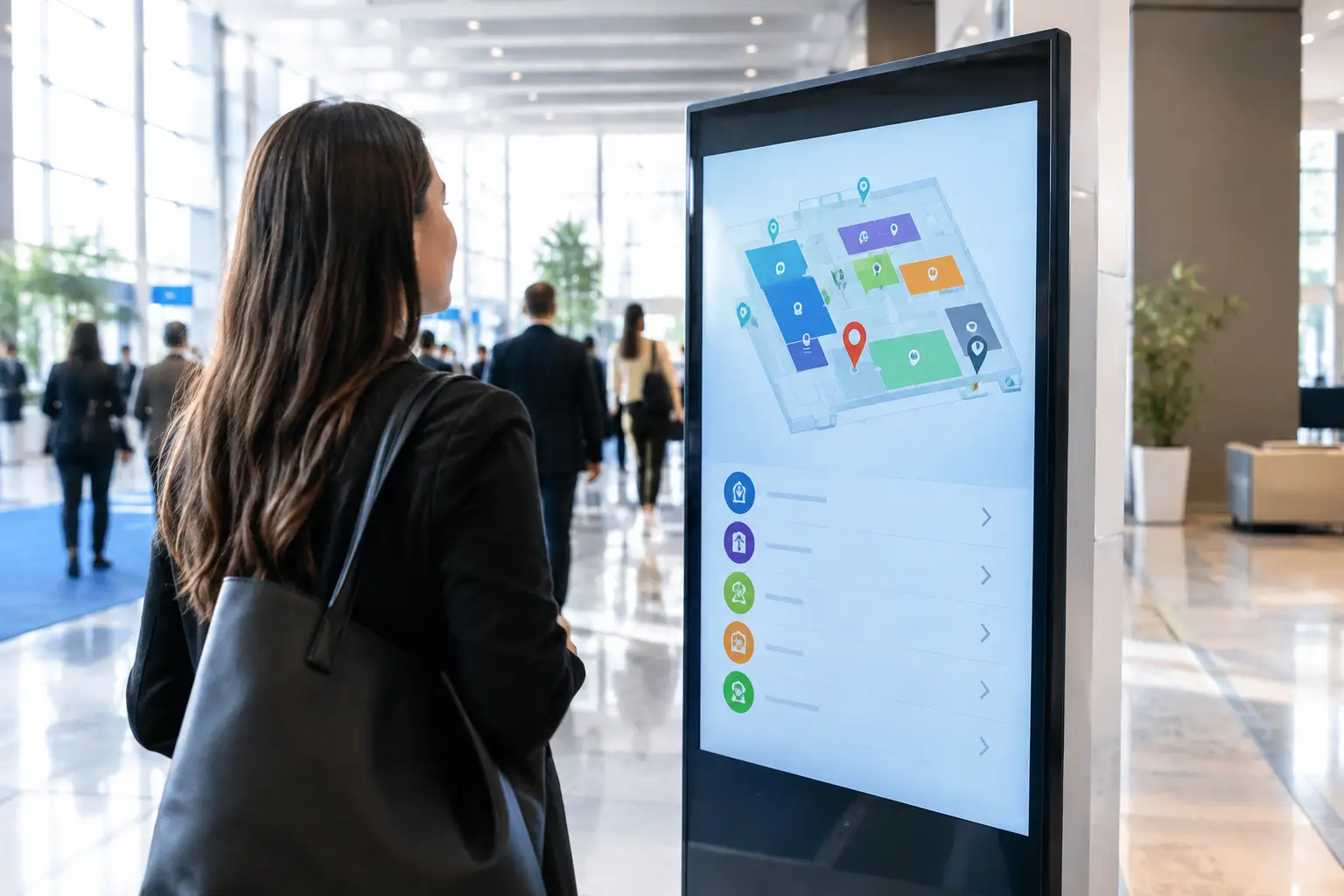

A guest who cannot find registration, the keynote hall, or the nearest session room does not experience an event as premium. They experience it as disorganized. Knowing how to deploy digital wayfinding means treating every screen as part of the event operation – not as a last-minute visual add-on.
For conferences, exhibitions, product launches, and large corporate gatherings, digital wayfinding gives organizers control over how people move through a space. It can reduce pressure on event staff, direct attendees around congestion, promote key activations, and keep schedules visible when details change. The result depends less on having more screens and more on planning the right information, in the right locations, with reliable technical execution.
Start With the Attendee Journey, Not the Screen
The first deployment decision is not screen size or software. It is understanding where attendees hesitate. Map the journey from arrival through registration, security, badge collection, main halls, breakout rooms, catering areas, exhibitor zones, and exits.
At each point, identify the question a guest needs answered immediately. At the entrance, it may be “Where do I check in?” At a corridor junction, it may be “Which route leads to Hall B?” Outside a meeting room, the question is usually “Is this the correct session, and has anything changed?”
This exercise determines the role of each display. A welcome screen builds confidence at arrival. A directional display moves people through a decision point. A session screen confirms a destination. An interactive kiosk helps attendees search a larger program or exhibitor directory. Combining all of these jobs on one screen often creates clutter and slows down decisions.
For multi-level venues, create a location plan that includes entrances, elevators, escalators, intersections, registration zones, high-traffic corridors, and destination thresholds. Mark sightlines as well as floorplan positions. A display placed behind a queue, around a blind corner, or too close to another visual distraction may be technically installed but operationally ineffective.
Define What Your Digital Wayfinding Must Do
Digital wayfinding is most effective when its scope is clear. A straightforward corporate meeting may need welcome messaging, room schedules, and directional arrows. A trade show may also need an exhibitor search tool, hall maps, sponsored placements, and live announcements. A visitor-management environment may require secure check-in instructions, queue directions, and integration with appointment data.
Before selecting hardware, agree on the operational outcomes. Typical priorities include reducing registration queues, helping guests find session rooms independently, directing VIPs to dedicated areas, communicating agenda changes, or increasing traffic to sponsor activations.
There are trade-offs. Static directional loops are easier to manage and highly dependable, but they cannot answer individual questions. Interactive touchscreens offer deeper navigation and search functions, but they need accessible placement, a clear user interface, regular cleaning, and support if connectivity drops. A high-profile conference may benefit from both: non-interactive displays for rapid directional guidance and interactive kiosks for detailed exploration.
Build Content for Fast Decisions
Wayfinding content should be readable in seconds. That requires discipline from both the design and event teams. Use short destination names, large type, high contrast, familiar icons, and arrows that are unambiguous from the viewer’s position.
Avoid placing a full venue map on every display simply because it is available. At a busy corridor, attendees usually need one instruction: “Breakout Rooms 1-4 – Left.” Detailed maps belong at major arrival points, near elevators, or within interactive directories where a guest can spend more time searching.
Brand consistency matters, particularly at product launches and executive events, but visual identity cannot compromise legibility. Use approved colors, motion, typography, and sponsor assets within a hierarchy that keeps directions dominant. If a brand palette relies on low-contrast colors, create an approved event wayfinding variation that protects accessibility and speed of reading.
Prepare content in layers. The first layer is always-essential information: venue name, directions, room names, and emergency messaging. The second contains time-sensitive content such as session schedules, speaker updates, queue instructions, and transport notices. The third includes promotional content, sponsor recognition, and event engagement prompts. When the schedule changes, the operational layer must take priority instantly.
Select Hardware Around the Environment
The correct display configuration depends on footfall, viewing distance, available power, mounting options, ambient light, and the length of the event. A small screen can work at a room entrance, while a large-format display may be necessary in a bright lobby or exhibition hall. Portrait orientation often suits agenda listings and directories; landscape screens can work well for maps, directional routes, and wide-format motion graphics.
Freestanding digital totems are useful where permanent mounting is not possible. Wall-mounted screens save floor space in narrow corridors. Interactive kiosks should be positioned where guests can pause without obstructing traffic. For outdoor or semi-outdoor locations, enclosure ratings, brightness, weather exposure, cable protection, and power stability become critical requirements.
Do not underestimate physical presentation. Visible cables, unstable bases, mismatched screen bezels, and poorly aligned branding can weaken an otherwise polished event environment. Hardware staging should include mounting checks, branded wraps or surrounds where required, clean power routing, and a plan for safe public access.
Connect Content Management to Event Operations
A digital wayfinding deployment needs a defined content owner. This can be an event operations lead, a marketing representative, or a technical coordinator, but the approval path must be clear. If five people can request changes without a process, screens quickly become inconsistent.
Set up a simple change-control workflow before the event. Identify who submits changes, who approves them, who publishes them, and how the update is verified onsite. For agenda-driven events, establish cutoff times for routine changes and a separate process for urgent announcements.
Where possible, connect wayfinding content to the same source of truth used for registration, sessions, exhibitors, or room allocations. This reduces manual re-entry and the risk of displaying outdated information. However, integrations should be tested carefully. A live data feed is valuable only when it is reliable, formatted correctly, and backed by a manual contingency plan.
Smart Track Zone typically approaches this stage as part of complete digital infrastructure: screen layouts, software configuration, branded content templates, equipment staging, and specialized onsite support are coordinated as one operational system rather than handed between separate suppliers.
Test the Full Deployment Before Doors Open
A screen that powers on is not necessarily ready for attendees. Testing should cover content, hardware, network performance, physical placement, and the real viewing experience from the guest’s perspective.
Run through the venue using the same path an attendee will take. Check whether arrows point in the correct direction from each approach. Confirm that room names on screens match door signs, printed programs, badges, and staff briefing materials. Test content changes at the same time the registration system, Wi-Fi network, and other event technology are active.
A practical pre-opening checklist should verify four areas:
- Every display is online, assigned to the correct content zone, and showing the current schedule.
- Screen brightness, orientation, audio settings, and sleep modes are correct for the venue environment.
- Interactive kiosks respond quickly, return to their home screen after inactivity, and display accurate search results.
- Backup media, spare cables, replacement hardware, and escalation contacts are available to the onsite team.
For large events, schedule a final test after exhibitor build-out and venue dressing. Booth structures, partitions, queues, and branding installations can block sightlines that appeared clear during an earlier site visit.
Plan for Live Changes and Technical Resilience
Events change. Speakers run late, rooms reach capacity, entrances move, and an unexpected queue appears. Digital wayfinding earns its value when it helps the team respond without printing and installing replacement signs across the venue.
Create pre-approved emergency and operational message templates before event day. These can cover room changes, delayed starts, redirected registration, capacity notices, transport updates, and safety instructions. Keep the language direct and include the action attendees should take next.
Technical resilience also matters. Confirm network requirements, use secure connectivity where appropriate, and identify what content can continue running if internet service fails. Local media playback may be sufficient for directional loops, while real-time session data may require a stronger network design. The right choice depends on the event’s complexity and how frequently information is expected to change.
Assign an onsite technician or specialized support team with authority to resolve issues quickly. This person should monitor screen status, manage approved updates, coordinate with venue teams, and replace failed components without delaying the attendee experience.
Measure Whether the System Worked
After the event, review more than screen uptime. Ask registration staff whether directional questions decreased. Ask session managers whether attendees arrived at the correct rooms. Review kiosk search behavior, popular destinations, queue patterns, and the timing of schedule changes.
These findings improve the next deployment. If attendees repeatedly searched for a destination, the naming may have been unclear. If one corridor became congested, a screen may need to move earlier in the journey. If staff still answered basic location questions, the message may have been too small, too late, or competing with too much promotional content.
The best digital wayfinding feels almost invisible to the guest because it removes uncertainty before they need to ask. When planning, branding, hardware, and onsite support are aligned, every screen becomes a quiet but highly visible part of a controlled, confident event experience.