

The registration desk sets the tone before a keynote begins, a product is revealed, or a sales conversation starts. When guests face unclear queues, missing badges, or a slow search screen, the event feels disorganized before they reach the venue floor. To prevent registration bottlenecks, organizers need to treat check-in as a planned operational system, not a table placed near the entrance.
For corporate conferences, exhibitions, launches, and internal events, registration must balance speed with control. Guests need a fast arrival experience, while event teams need accurate attendance data, secure credentials, and a branded first impression. The answer is rarely just adding more staff. It is matching the registration design, technology, badge workflow, and onsite support to the actual arrival pattern.
Why Registration Bottlenecks Happen
Most check-in delays begin long before event day. Incomplete attendee data, unclear ticket categories, late badge approvals, and disconnected registration and printing systems create friction that appears at the front desk. A guest may be registered but not assigned the right access level. A VIP may be in the database but have no pre-printed badge. A walk-in may require manual data entry while a queue builds behind them.
Arrival behavior also matters. Attendees do not arrive evenly across the day. For a morning conference, a large percentage may reach the venue within a 20- to 30-minute window. At an exhibition, traffic may spike immediately before opening, after a networking break, or when a popular session ends. Designing for average volume instead of peak volume is one of the most common planning errors.
Venue layouts can add another layer of delay. If guests must search for the correct queue, fill out a form, collect a badge, and then ask where to go next, each handoff adds time. Registration should operate as one connected journey: arrival, identity verification, credential collection, access guidance, and entry.
Build the Registration Plan Around Peak Arrival Times
A reliable registration plan starts with realistic volume modeling. Review the expected attendance, preregistration status, guest categories, and the schedule that drives arrivals. Then estimate how many people are likely to check in during the busiest period, not simply how many people are registered overall.
For example, an event with 800 attendees does not necessarily require capacity for 800 simultaneous check-ins. But if 450 attendees are likely to arrive within 30 minutes, the registration setup must process that surge without creating visible lines. This calculation determines the number of check-in points, self-service kiosks, printers, and trained team members required.
Segment attendees before they reach the desk. A dedicated path for VIPs, speakers, exhibitors, staff, and pre-registered guests prevents a complex query in one category from slowing every other attendee. Walk-ins and payment-related exceptions should also have their own service position. They require more time and discretion than a standard QR code scan.
The right approach depends on the event. A tightly controlled leadership forum may prioritize hosted check-in and discreet verification. A high-volume exhibition may benefit more from self-service kiosks and multiple rapid badge collection points. The objective remains the same: keep straightforward arrivals moving while giving exceptions the attention they need.
Use Registration Technology That Reduces Manual Work
Fast check-in depends on clean data and clear system logic. Event registration software should centralize attendee details, registration status, badge fields, access permissions, and attendance records. When staff must switch between spreadsheets, email confirmations, and separate badge files, errors become more likely and service speed drops.
QR-enabled invitations provide a practical starting point. Guests can present a code on their phone or a printed confirmation, allowing the registration team or kiosk to find the correct record in seconds. For events requiring greater access control, RFID or NFC credentials can connect registration with session access, lead retrieval, meal tracking, or restricted-area entry.
Self-service check-in kiosks are particularly effective when a high proportion of guests are preregistered. They give attendees a quick option to search, scan, verify details, and collect or print a badge without waiting for a staffed counter. However, kiosks are not a substitute for people. A specialized onsite team should be positioned nearby to guide guests, resolve exceptions, restock materials, and keep the system moving.
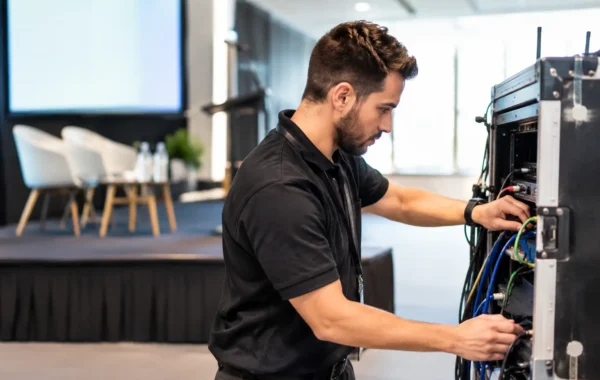
Equipment selection matters as much as software selection. A check-in system needs appropriately configured laptops or kiosks, reliable network access, backup connectivity, tested scanners, correctly loaded badge printers, and power management. A premium registration area can still fail if printers are too slow for the badge stock, labels are not calibrated, or the network has not been tested under event conditions.
Prevent Registration Bottlenecks With Better Badge Production
Badge production is often the hidden cause of a slow registration line. A badge that takes only a few extra seconds to print, verify, and assemble can become a major delay during peak arrival. Pre-printing confirmed attendee badges is the fastest option for many corporate events, especially where names, roles, logos, and access categories are finalized in advance.
Pre-printed badges should be sorted in a logical collection sequence, such as alphabetical ranges, company groups, or attendee type. The handover must be simple enough that a staff member can locate, verify, and issue a credential without searching through an unstructured stack.
On-demand badge printing remains essential for late registrations, replacements, walk-ins, and last-minute changes. The best model is often hybrid: pre-print the majority of confirmed badges, then maintain dedicated on-demand printing for exceptions. This protects the main check-in flow while preserving flexibility.
Design also affects operations. Credentials should be easy to read at a glance, with attendee names prominent and access categories clearly identified. Color coding can help registration staff, security personnel, exhibitors, and hospitality teams recognize guest types quickly. QR codes and RFID/NFC encoding should be tested as part of the production process, not after badges reach the venue.
Design the Physical Flow, Not Just the Desk
Guests need to understand where to go before they ask a question. Clear digital signage, branded queue markers, and visible category labels reduce hesitation at the entrance. A guest who can immediately identify the preregistered queue or VIP desk will move faster and feel more confident.
Create enough space for lines without blocking venue access, emergency routes, or exhibition entrances. Queue lanes should lead naturally toward service points, with a clear exit route after badge collection. If attendees need lanyards, welcome packs, or directional information, plan those steps so they do not create a second congestion point immediately after registration.
Interactive digital signage can support wayfinding once guests have checked in. Displaying session locations, exhibition zones, sponsor information, or agenda updates reduces the number of basic questions directed back to registration staff. This allows the registration team to stay focused on arrivals rather than becoming an information counter.
Branding should support clarity, not compete with it. A registration area can reflect a premium corporate identity through branded counters, backdrops, screens, badge designs, and lanyards while still making instructions highly visible. Absolute consistency across physical and digital touchpoints gives guests confidence that they are in the right place.
Rehearse the Exception Process Before Doors Open
No registration system eliminates exceptions. Names will be misspelled, emails will be missing, badges will be lost, and delegates will arrive with unexpected access requests. The operational difference is whether these issues are resolved in a separate, controlled workflow or allowed to disrupt the main queue.
Before opening, run a full registration rehearsal. Test scans, attendee searches, badge printing, access rules, printer replenishment, and staff escalation procedures. Confirm who can approve a category change, who handles a duplicate credential, and what happens if connectivity is interrupted. A printed fallback attendee list and a defined manual check-in method can protect operations during a technical issue, but they should be controlled to preserve accurate records.
Staff briefing is equally important. Every team member should know the event categories, queue rules, venue layout, agenda highlights, and escalation contacts. Friendly direction is valuable, but confident instruction is faster. Guests should never be passed between several people for a basic answer.
For complex events, an integrated provider can coordinate software configuration, hardware staging, branded credential production, kiosk deployment, and onsite technical support as one managed workflow. Smart Track Zone applies this approach so the registration environment is prepared as a complete operational system rather than a collection of separate suppliers.
Measure the Arrival Experience
After the event, review registration performance with the same discipline used for attendance or lead data. Track peak check-in times, average processing speed, exception volume, kiosk use, badge reprint requests, and the points where queues formed. These details reveal whether the issue was capacity, data quality, physical layout, staff training, or technology configuration.
The most effective registration setup is not necessarily the one with the most equipment. It is the one that gives every guest a clear next step, gives staff the right tools for exceptions, and keeps your brand composed when arrival volume is at its highest. When check-in feels effortless, attendees can focus on the experience you brought them there to have.