
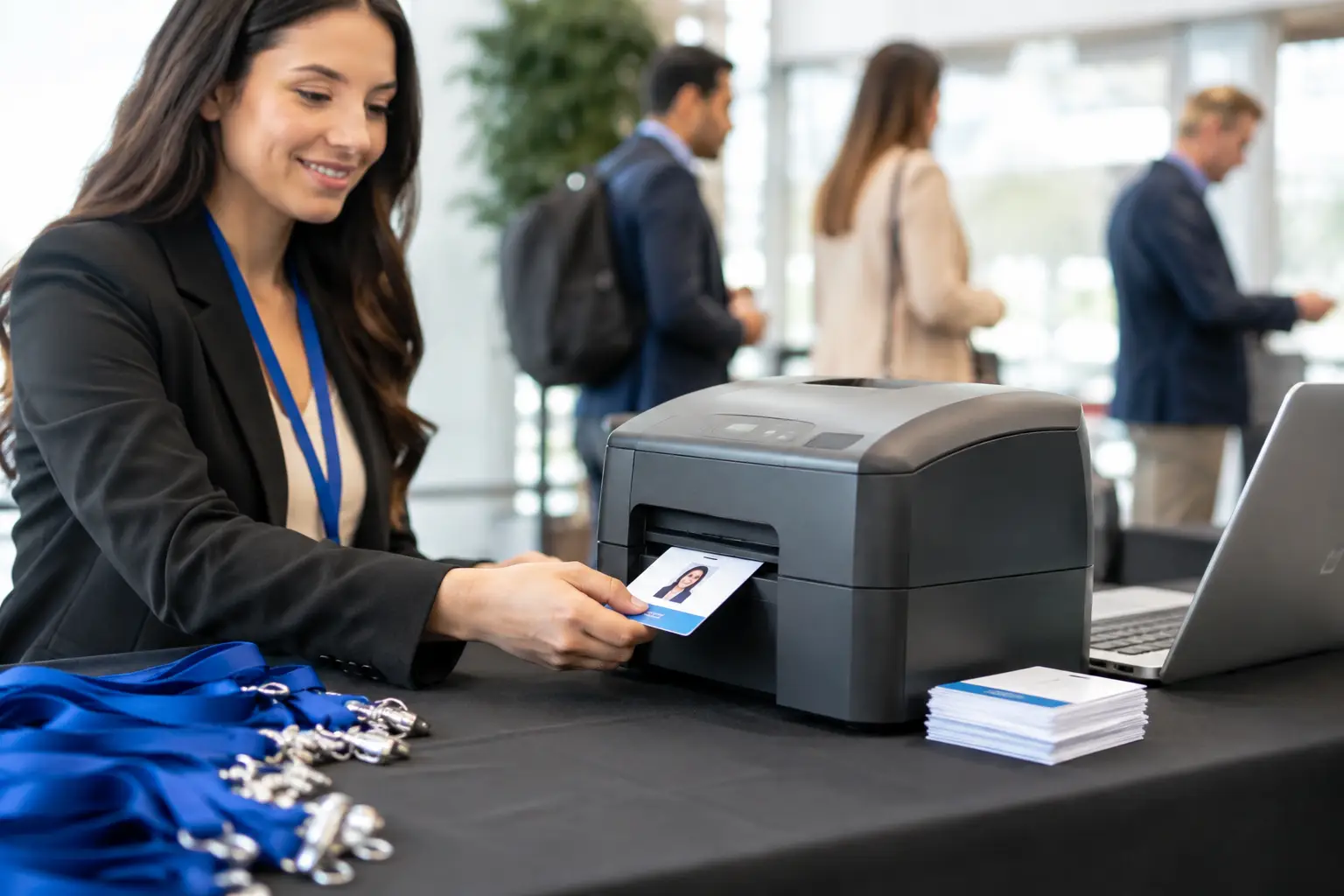

A registration desk can look perfectly planned until 300 attendees arrive within the same 20-minute window. That is where badge printer rental becomes an operational decision, not simply an equipment choice. The right printers, software configuration, consumables, and onsite support determine whether guests enter with confidence or begin their event experience in a queue.
For conferences, exhibitions, product launches, corporate meetings, and visitor-management programs, rented badge printing infrastructure gives teams the capacity to issue polished credentials without purchasing, storing, maintaining, and testing specialized hardware year-round. The value is highest when the rental is planned as part of the full registration workflow.
When Badge Printer Rental Is the Right Choice
Buying a printer can make sense for organizations issuing cards every day, such as HR departments with an ongoing employee ID program. For most event teams, however, demand is concentrated around a specific date, venue, audience size, and check-in pattern. A rental model aligns the equipment with the project.
It also allows planners to select hardware based on actual event conditions. A small executive breakfast may need one desktop printer at a single welcome desk. A trade show with multiple entrance points may require several high-speed stations, backup units, and a dedicated technical team. Treating both events as the same job often leads to either unnecessary cost or insufficient capacity.
Rental is especially practical when badge requirements include variable attendee data, QR codes, RFID or NFC encoding, sponsor branding, access categories, or on-demand reprints. These details affect printer selection, badge stock, registration software, and the setup of every check-in station.
What a Complete Badge Printer Rental Should Include
A printer delivered in its box is not a complete event solution. The equipment must be compatible with the badge design, attendee data source, venue network, and expected printing volume. It also needs to be staged and tested before guests arrive.
A professionally managed deployment typically covers the printer hardware, ribbons, PVC cards or paper badge stock, power and data connections, laptop or workstation setup, and configured printing software. For events with live registration, the system should connect to the approved attendee database and support accurate badge search, walk-in registration, edits, and controlled reprints.
The physical environment matters as well. Registration counters need enough workspace for monitors, printers, scanners, lanyards, and staff movement. Printers should not be placed where cables create a trip risk or where staff must leave the desk to replace cards. These small layout decisions have a direct effect on throughput.
For high-stakes deployments, request clarity on the following before confirming a supplier:
- Expected print speed per station and the number of simultaneous check-ins supported
- Available backup printers, power protection, and replacement consumables
- Compatibility with QR codes, RFID/NFC encoding, barcode scanners, and registration platforms
- Pre-event badge proofs, data-field testing, and approval procedures
- Onsite technical support, escalation coverage, and breakdown responsibilities
The distinction is simple: equipment rental provides a device; managed badge printing provides an operating system for the registration desk.
Calculate Capacity Around Arrival Peaks
Total attendee count is useful, but peak arrivals are more important. An event with 1,000 attendees arriving gradually across four hours needs a different setup than an event where 700 guests are directed to arrive at 8:30 a.m.
Start by estimating the busiest 15- to 30-minute arrival period. Then consider how many guests will already be registered, how many may need profile changes, and how many are likely to be walk-ins. A badge that takes seconds to print may still create a delay if the attendee record cannot be found, a barcode fails to scan, or a staff member has to check an access category manually.
Multiple stations create resilience as well as speed. If one printer requires a ribbon change or one workstation loses its network connection, other stations can continue processing arrivals. For major corporate events, a backup printer is operational insurance, not an optional extra.
There is a trade-off. Adding stations without a clear queue design can confuse guests and underuse staff. The strongest configuration pairs each station with defined roles: greeting and line direction, attendee lookup, badge printing, and problem resolution. Guests with exceptions should be moved to a support desk rather than holding up the primary check-in line.
Match the Badge Format to the Event Experience
The badge is both a credential and a visible piece of brand presentation. It should carry the information guests and staff need without becoming crowded, difficult to scan, or visually inconsistent with the event identity.
For a single-day conference, a full-color paper badge in a holder may be the most efficient option. It is lightweight, economical at volume, and easy to produce with personalized names and QR codes. For premium gatherings, secure zones, multi-day exhibitions, or staff access programs, direct-to-card PVC credentials provide a more durable result.
Access control needs should be decided before production, not added at the registration desk. RFID and NFC cards can support zone access, session tracking, cashless activations, lead capture, or interactive experiences, but they require correct data mapping and encoding tests. QR-enabled badges are often quicker to deploy and work well for check-in, session validation, and exhibitor scanning, provided scanners and software are configured consistently.
Branding choices should also account for speed. A complex badge layout with multiple variable elements may be appropriate, but only after the template has been tested with real attendee records. Long company names, multilingual fields, VIP titles, and sponsor logos can create unexpected formatting issues if the design only exists as a static mockup.
Prepare the Data Before the Hardware Arrives
Most badge printing problems begin in the data, not at the printer. Duplicate records, incomplete names, inconsistent capitalization, missing access categories, and unapproved last-minute imports can slow down even the best registration operation.
Before staging begins, confirm a clean source file or registration platform with clearly defined fields. Establish how names will appear, which fields print on each badge type, who can approve changes, and how late registrations will enter the system. If there are VIP, exhibitor, speaker, staff, media, or contractor categories, test every version of the badge before production.
A realistic dry run is worth the time. Print a representative sample, scan the QR codes, validate encoded cards where relevant, check readability under venue lighting, and confirm that lanyard slots or holders do not cover key information. This is also the point to validate badge stock quantities and ribbon capacity against projected demand.
Smart Track Zone approaches this stage as a coordinated deployment: badge artwork, hardware layouts, registration software configuration, production materials, and onsite support are prepared as connected parts of one event environment. That structure protects both visual quality and operational control.
Why Onsite Support Changes the Risk Profile
Event technology is judged at the moment guests need it. A printer issue at 7:00 a.m. cannot wait for a remote ticket response, especially when speakers, sponsors, or senior executives are arriving.
A specialized onsite team can manage printer calibration, supply replacement, network checks, software troubleshooting, and rapid changes to badge templates or attendee records. They can also monitor demand and redirect traffic when one entrance becomes busier than expected. This support is particularly valuable for events using multiple registration zones, self-service kiosks, or encoded credentials.
Remote support may be sufficient for a low-volume internal meeting with a simple attendee list. For a public-facing launch, a large conference, or an exhibition with exhibitor access rules, onsite coverage offers a more dependable standard. The right choice depends on the consequences of delay, not just the number of rented printers.
Build the Badge Operation Into the Event Plan
Badge printing should be discussed alongside registration flow, signage, staffing, and access control from the beginning. When these elements are planned separately, the welcome area can become fragmented: one provider manages software, another delivers printers, a third produces badges, and no one owns the full guest journey.
A single coordinated plan makes it easier to control branding, confirm technical accountability, and respond quickly to changes. It also gives organizers a clear chain of approval from data preparation through onsite execution.
The most useful question is not, “How many printers do we need?” Ask instead, “What must happen when our first 500 guests arrive?” Build the badge printer rental around that real moment, and the registration desk becomes a confident first impression rather than the event’s first obstacle.