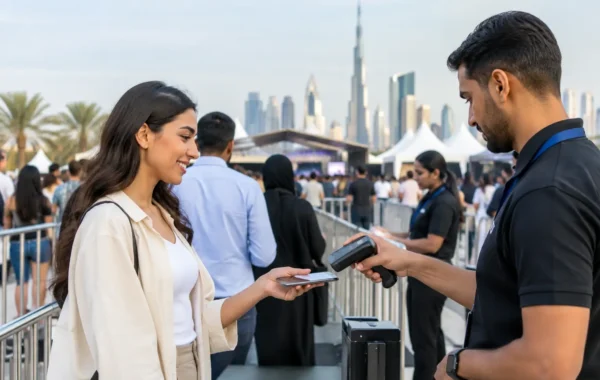


A corporate event can lose momentum before the first presentation begins. A queue at registration, a missing badge, a kiosk that cannot load attendee data, or unbranded hardware at the venue entrance can create pressure for guests and event teams alike. A properly planned event IT rental & registration UAE solution prevents those issues by treating check-in, credentials, hardware, software, and visual presentation as one connected operation.
For conferences, exhibitions, launches, internal meetings, and hospitality events, the goal is not simply to place equipment at a venue. The goal is to create a controlled arrival experience that supports attendance data, brand standards, security requirements, and the pace of the event. That requires more than printers and laptops. It requires preparation, tested configurations, and a specialized onsite team that can respond quickly when the event environment changes.
Event IT Rental & Registration UAE Starts Before Event Day
Registration performance is decided well before the doors open. The first requirement is a clear view of the attendee journey: how guests are invited, what information is collected, whether they need printed credentials, how VIPs are handled, and where staff intervene if a registration record needs correction.
A well-configured registration platform should reflect the event’s actual operating model. A small executive gathering may need a hosted welcome desk and pre-printed name badges. A trade show with thousands of visitors may need multiple self-service kiosks, QR code scanning, on-demand badge printing, and separate access points for exhibitors, speakers, media, and sponsors. Neither approach is automatically better. The right choice depends on volume, venue layout, credential rules, and the level of personal service expected by the brand.
Data preparation is equally critical. Attendee lists should be reviewed for duplicate entries, inconsistent company names, missing fields, and naming conventions before badge templates are approved. This reduces delays at the desk and ensures reporting remains useful after the event. When RFID or NFC credentials are required, encoding rules and access permissions must be tested against the readers and entry points being used onsite.
Registration Design Should Support Real Decisions
A registration screen can collect data, but it should not create unnecessary friction. Every additional field can slow sign-up and increase incomplete records. Corporate planners should decide which information is essential for access control, lead retrieval, reporting, or post-event follow-up, then remove what does not serve a practical purpose.
The same applies to badge layouts. A badge must be visually aligned with the event identity, but legibility comes first. Names, company details, attendee categories, QR codes, sponsor marks, and security features need space to work. A crowded badge may look impressive in a digital proof but become difficult to scan from a distance or at a busy entrance.
Build a Complete IT Rental Plan, Not a Hardware List
Event IT rentals are often treated as a list of individual items: laptops, tablets, printers, screens, routers, kiosks, and scanners. That approach can create coordination gaps because every device depends on power, connectivity, software compatibility, physical placement, and operator readiness.
A complete digital infrastructure begins with a site-specific equipment plan. Registration desks need the right number of workstations, label or badge printers, barcode scanners, power distribution, and backup supplies. Self-service stations need stable enclosures, accessible screen positioning, clear guest instructions, and enough floor space to avoid crowding. Interactive digital signage requires content formatted for the correct screen orientation and resolution, as well as a plan for updates if schedules change.
Connectivity deserves particular attention. Venue Wi-Fi may be suitable for guest browsing but insufficient for a high-volume registration operation. Where required, event teams should plan for dedicated connectivity, tested network access, and an offline process for essential check-in functions. A short interruption should not stop staff from locating attendee records or issuing credentials.
There is also a practical trade-off between flexibility and simplicity. More kiosks and devices can increase capacity, but they also introduce more equipment to stage, monitor, and support. For some events, a smaller number of carefully staffed registration points delivers faster, more controlled guest movement than a large self-service setup. Hardware should match the event flow, not inflate it.
Branded Check-In Is Part of the Guest Experience
The registration area is often the first physical expression of the event brand. Guests notice whether the counter graphics, kiosks, digital screens, badges, lanyards, and staff materials feel consistent. When these elements are sourced separately, colors, finishes, dimensions, and messaging can drift. That weakens an otherwise polished event environment.
Integrated production keeps physical and digital touchpoints aligned. Badge artwork can use the same approved brand assets as registration interfaces and wayfinding screens. QR-enabled credentials can be paired with matching exhibition lanyards, PVC ID cards, table signage, and branded merchandise. This gives attendees clear visual cues from arrival through networking, sessions, and departure.
Branding should also serve operations. Color-coded credentials can distinguish staff, speakers, exhibitors, VIPs, and general attendees at a glance. Personalized badges can make networking easier. Directional displays can reduce repeated questions at the registration desk. When branding is designed around how people move through the venue, it becomes functional rather than decorative.
On-Demand Printing Has a Clear Role
Pre-printing all badges is efficient when attendance is confirmed and data is stable. On-demand printing is valuable when walk-ins, substitutions, late registrations, or last-minute name changes are likely. Many corporate events need both: pre-printed badges for speed, with a dedicated exception desk for changes and new arrivals.
This mixed model protects the guest experience without producing unnecessary waste. It also gives organizers a more accurate final attendance record, especially when check-in status is connected to the registration system rather than tracked manually.
Plan for Exceptions, Not Just the Ideal Flow
The strongest event registration setup is judged by how it performs when something changes. A keynote speaker may arrive with a different guest name. A delegate may not receive a confirmation email. A printer may need a media change during the busiest arrival window. These are normal operational realities, not signs of poor planning.
A capable onsite support model assigns clear ownership for each issue. Registration staff should know when to resolve a data correction, when to escalate a technical fault, and where replacement stock is held. Equipment should be staged, powered, and tested before guest arrival, with spare consumables and backup devices available where event scale justifies them.
For larger programs, a pre-event rehearsal is worth the time. Staff can test QR scanning, badge output, kiosk instructions, credential access, and attendee routing under realistic conditions. This is especially useful when registration includes multiple languages, complex access categories, or integrations with lead capture and visitor-management systems.
Smart Track Zone brings these moving parts together through software configuration, hardware staging, badge and card production, branding execution, delivery, and onsite technical support. The value is operational control: one coordinated team responsible for how the system looks, functions, and performs at the venue.
Questions to Settle Before Confirming Your Supplier
Before approving an event technology plan, procurement and event teams should confirm a few operational details. Ask whether the registration software supports the data fields, check-in method, reporting, and credential types required. Confirm who configures and tests the equipment, who supplies consumables, how support is handled during event hours, and what backup process applies if connectivity is interrupted.
It is also worth confirming production timelines for personalized badges, RFID/NFC encoding, custom PVC cards, branded kiosks, and printed collateral. These are not interchangeable items. Each has its own proofing, production, and quality-control requirements. Early approval of artwork and attendee data protects both accuracy and finish quality.
Finally, evaluate the supplier’s ability to coordinate with the venue, production team, and security stakeholders. Registration does not operate in isolation. It affects entrance management, room access, crowd flow, sponsor visibility, and the attendee’s first impression of the organization.
The best event technology plan makes arrival feel effortless because the complexity has been resolved in advance. When every screen, scanner, badge, printer, and support process has a defined role, your team can focus on welcoming people rather than troubleshooting the door.