
A badge is often the first physical interaction an attendee has with an event. If registration data is inaccurate, the print finish is poor, or scanning creates queues, that small credential can quickly become an operational problem. Understanding how QR event badges work helps event teams turn a printed name badge into a controlled, measurable point of entry for conferences, exhibitions, launches, and corporate visitor programs.
A QR badge connects an attendee’s physical credential to a digital record. When a host, exhibitor, or access-control team scans the code, the event platform retrieves the right information or records a specific action. The result is faster check-in, better access management, more useful lead capture, and a clearer picture of attendee movement – provided the registration, printing, hardware, and onsite workflow are planned as one system.
How QR Event Badges Work From Registration to Scan
The process begins well before the event doors open. Each registered guest is assigned a unique attendee profile in the registration platform. That profile may include their name, company, job title, registration type, session selections, dietary information, access permissions, or a unique attendee ID.
The platform then generates a QR code linked to that profile. The code itself does not need to contain every piece of personal information. In many setups, it carries a unique identifier or secure reference that the scanning application uses to find the relevant record. This approach reduces the amount of data exposed on the physical badge and gives organizers more control over what appears on screen after a scan.
Once generated, the QR code is placed into an approved badge design. The printed layout typically includes the attendee’s name and organization, the event identity, a color-coded category or access designation, and the QR code in a position that is easy to scan. For high-volume corporate events, badge templates are connected directly to registration fields, so approved attendee data flows into production without manually retyping every record.
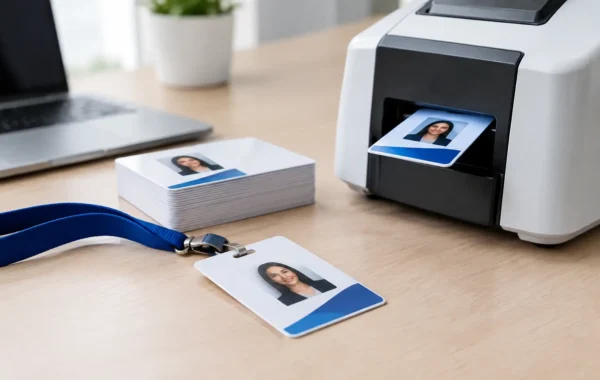
At check-in, a team member or self-service kiosk scans the registration confirmation or searches for the guest. The system verifies their record and prints the QR-enabled badge onsite. On-demand printing is particularly valuable when registrations change close to the event, delegates arrive without a printed confirmation, or names and access categories must be corrected immediately.
What happens when the code is scanned
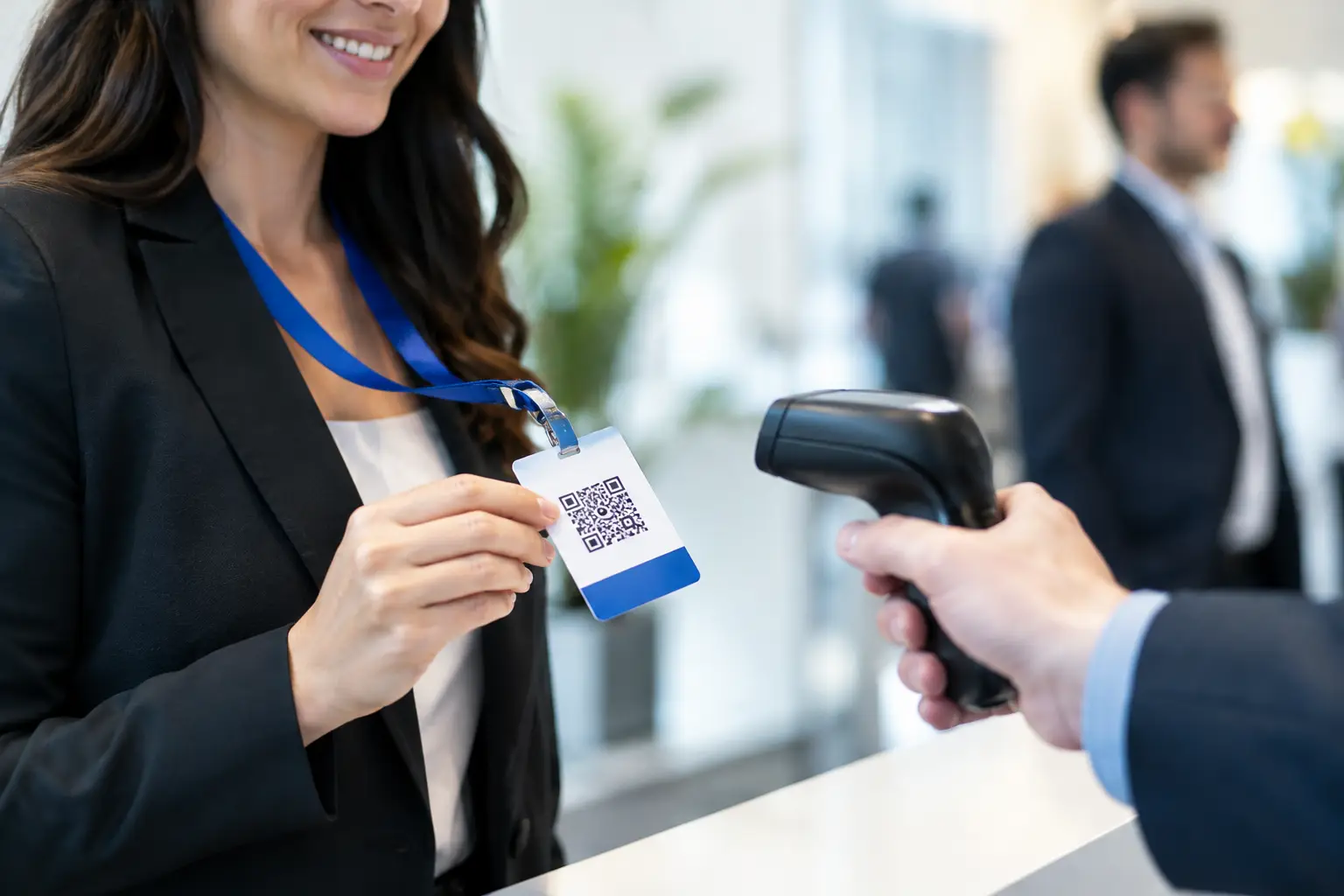
A QR scan requires three elements: a readable code, a camera-based scanner or mobile device, and an application connected to the event database. The scanner reads the visual pattern and sends the unique identifier to the software. The software then returns the appropriate response based on the scan point and the attendee’s permissions.
At a main entrance, the response may simply confirm that the guest is registered and mark them as checked in. At a restricted session, it may show a green approval message for authorized attendees or flag that the person is not entitled to enter. At an exhibition stand, the scan can create a lead record with the attendee’s approved contact details and time of interaction.
The speed of this exchange depends on the event configuration. A well-prepared system uses a clean registration database, tested scanners, reliable local connectivity, and clear operator screens. If any one of these elements is neglected, the QR code may be technically valid but still create friction at the door.
The Operational Uses of QR Event Badges
QR credentials are flexible because the same badge can support different actions throughout an event. The best use case depends on the event’s objectives, risk level, and expected attendance volume.
For arrival management, QR badges help teams validate attendance in seconds. This reduces manual name searches and gives organizers an accurate record of who has arrived. For a multi-day conference, repeated scanning can distinguish between total registrations and actual daily attendance, which makes post-event reporting more meaningful.
For access control, organizers can assign rules by registration type. A VIP, speaker, exhibitor, staff member, sponsor, or general delegate can receive different permissions without requiring completely different systems. Visual badge elements still matter here. A color band or category label allows security teams to make quick visual checks, while the QR scan provides confirmation when access needs to be verified.
For exhibitors and sponsors, QR scanning supports structured lead capture. Rather than collecting business cards or writing notes on paper, booth teams can scan a visitor badge and record interest level, product preferences, meeting requests, or follow-up actions. Organizers should decide in advance what data exhibitors can access and obtain the appropriate attendee consent. A lead capture workflow that is fast for exhibitors but vague for attendees can create avoidable privacy concerns.
QR codes can also support session attendance, meal entitlement, prize draws, document collection, and controlled distribution of event materials. These applications are useful when there is a clear operational reason to measure or authorize an interaction. Adding scans merely because the technology is available can slow the attendee experience without producing useful insight.
Badge Design and Print Quality Affect Scan Performance
A QR code may look simple, but production details matter. It needs sufficient contrast, adequate size, and a clear area around the code so scanners can recognize it quickly. Dark codes on a light, matte background are generally the most reliable choice. Placing a code over a busy image, metallic finish, heavy pattern, or dark brand color can reduce readability.
Badge material also affects the final result. Paper inserts in holders can work well for short events and lower-security environments. PVC cards offer a more premium, durable credential for multi-day conferences, staff identification, VIP programs, and applications that require repeated scanning. The choice should reflect the event duration, environmental conditions, brand expectation, and security requirement rather than appearance alone.
Print data must also be reviewed carefully. A QR code linked to the wrong attendee record is more damaging than a late badge because it can affect access, reporting, and lead capture. Rigorous quality control should include sample prints, scan tests using the actual devices, verification of variable data fields, and a final check that every code resolves to the intended profile.
QR Badges Versus RFID and NFC Credentials
QR badges are often the practical choice for corporate events because they are cost-effective, easy to print, and readable with standard mobile devices or dedicated scanners. They work especially well for check-in, session validation, visitor management, and exhibitor lead capture where a deliberate scan is acceptable.
RFID and NFC cards offer a different interaction model. Instead of presenting a code to a camera, the attendee taps or passes the credential near a reader. This can support faster throughput in high-traffic entry points and can be useful where hands-free or rapid access is a priority. However, it requires encoded cards or wristbands, compatible readers, and additional hardware planning.
The right choice depends on the experience being designed. QR is effective when flexibility and controlled scanning matter. RFID or NFC may be better for very large attendance volumes, repeated venue access, cashless environments, or activations where speed is the main concern. Some events use both: a QR code for universal identification and an RFID or NFC chip for fast access at selected locations.
Building a Reliable Onsite QR Badge Workflow
The technology is only one part of the deployment. A dependable workflow starts with a registration data review: duplicate records, incomplete names, unclear ticket categories, and last-minute approvals should be resolved before badge production begins. Next, the event team should define exactly what each scan point does and who can view or edit attendee information.
Hardware staging is equally important. Badge printers, laptops or kiosks, barcode scanners, backup power, spare consumables, and a tested network plan should be prepared before arrival. For onsite print stations, the layout needs enough space for queue management, staff operation, and rapid replenishment without obstructing guest flow.
Teams should also prepare for exceptions. What happens if an attendee’s name is missing? Who authorizes a badge reprint? Can a guest enter if connectivity is interrupted? Is there a manual fallback process for a scanner failure? These decisions protect the attendee experience when real-world conditions do not follow the run sheet.
For demanding corporate environments, Smart Track Zone brings badge design, variable-data production, registration technology, printers, scanners, kiosk staging, and specialized onsite support into one managed deployment. This gives organizers one accountable team across the points where registration data, physical branding, and live event operations meet.
A QR badge works best when attendees barely notice the technology behind it. They should arrive, receive a credential that looks considered, move through the right spaces without confusion, and leave the event with every relevant interaction recorded accurately. That standard comes from thoughtful configuration and disciplined onsite execution, not from the code alone.