


A registration list can become a security problem long before the first guest arrives. A spreadsheet emailed to a contractor, a kiosk left signed in, or a QR code that reveals more than a name can expose information that attendees trusted you to protect. This guide to secure attendee data focuses on the full event workflow: registration, credential production, check-in, onsite technology, and post-event retention.
For corporate conferences, exhibitions, product launches, and internal events, data protection is not separate from guest experience. It affects queue speed, access control, sponsor activation, staff coordination, and the confidence people have in your brand. The objective is simple: collect only what the event needs, give access only to people who need it, and maintain control of every physical and digital touchpoint.
Build security into the event plan before registration opens
The best time to address attendee data is during event design, not after invitations have been sent. Start by defining the information required for each event function. A basic attendee badge may need only a name, organization, job title, registration category, and a unique credential identifier. Dietary preferences, passport details, accessibility requests, payment information, or employee numbers should be collected only where there is a clear operational reason.
Each additional field increases the consequences of an error. It also creates more work for registration teams, slows form completion, and makes it harder to explain why information is being processed. Ask a practical question for every field: who will use this, at what point in the event, and when can it be deleted?
Create a data map that follows attendee information from form submission to final deletion. It should identify the registration platform, event app, check-in software, badge-printing workstation, shared reports, sponsor lead-retrieval tools, and any third-party integrations. This is especially valuable when multiple agencies, exhibitors, venue teams, and technical suppliers are involved. Security gaps often appear between systems rather than inside one platform.
Your registration notice should clearly state what is collected, why it is needed, who may receive it, and how attendees can raise a privacy request. Legal requirements differ by location, audience, and event type, so privacy language and consent practices should be reviewed against the obligations that apply to your organization. Clear communication is also good event operations: attendees are more willing to provide necessary information when the purpose is specific and credible.
Control access to attendee records
Not every event team member needs the same level of access. Registration managers may need to correct names and resend confirmations. Check-in staff may only need to search an attendee, confirm their arrival, and print or reprint a badge. A sponsor should never receive the complete registration database simply because it is participating in the event.
Set permissions by role, then use individual accounts rather than shared logins. Shared credentials make accountability impossible and create unnecessary risk when temporary staff rotate in and out. Multi-factor authentication should protect administrator accounts and any account that can export attendee records, edit access permissions, or connect to payment and CRM systems.
Treat exports as a controlled activity. CSV files are useful for hotel rooming lists, transport planning, and VIP protocols, but they are also easy to copy, forward, and forget. Limit exports to approved users, record why the file was created, store it in an approved location, and set a deletion date. If a vendor only needs badge-ready fields, provide a reduced file rather than the entire attendee record.
Choose event partners that can show their controls
A supplier should be able to explain where event data is stored, how it is transmitted, who can access it, and what happens when the project closes. Ask about encryption in transit and at rest, user access logs, backup protections, incident reporting procedures, and subcontractors that may process data.
The answer should be specific to the service being delivered. A company providing onsite check-in hardware has different data exposure than one operating the registration platform or running an attendee mobile app. Contracts and data-processing terms should reflect those responsibilities, including instructions for secure deletion or return of files at the end of the engagement.
Secure badges, QR codes, and RFID credentials by design
A badge is a physical access tool, a brand asset, and often a container for sensitive event information. Its front-facing design should display only what is needed for recognition and access. Printing internal IDs, phone numbers, email addresses, or personal details in visible text can turn a lost badge into a privacy issue.
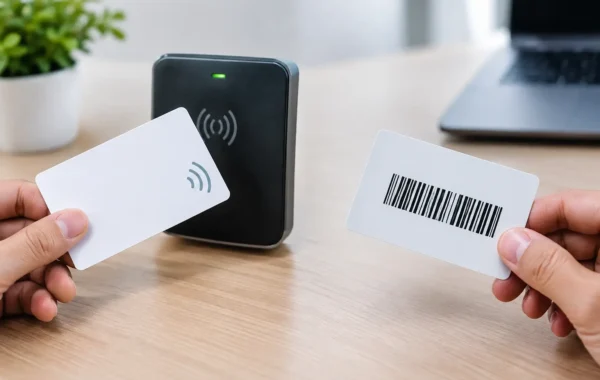
QR codes should generally contain a random, non-guessable token rather than readable attendee data. When scanned, the token can be validated through the approved event system. This prevents a code from disclosing personal information if someone photographs it or duplicates it. The same principle applies to RFID and NFC credentials: encode an identifier that points to a protected record, not a full attendee profile.
There is a trade-off. Offline venues or high-security access points may need certain information available locally to keep entry moving when connectivity drops. In that case, keep the local dataset minimal, encrypt the device, restrict device access, and establish a process for syncing and removing offline data once service is restored.
Badge production also requires physical controls. Blank PVC stock, printed badges, ribbons, and rejected cards should not be left unattended on a registration counter. Position printers behind the check-in area, clear misprints promptly, and securely destroy discarded credentials. For VIP, staff, speaker, or restricted-access badges, maintain an issuance and replacement log so the team can disable a lost credential quickly.
Protect kiosks and check-in stations on the event floor
Self-service check-in can reduce arrival queues, but only when a kiosk is configured for public use. The device should display one attendee session at a time and automatically return to the welcome screen after completion or a short period of inactivity. It should not retain search history, browser credentials, autofill information, or accessible files from previous users.
Use a dedicated event network where possible, separate from internal corporate systems and public guest Wi-Fi. Keep operating systems, check-in applications, and browser software updated before deployment. Disable unnecessary ports and applications, restrict settings changes, and use a kiosk mode that prevents attendees from leaving the check-in application.
Physical setup matters as much as software configuration. Place monitors so people waiting in line cannot read another guest’s details. Use privacy filters where stations are closely spaced. A specialized onsite team should know how to handle common exceptions without exposing the registration screen to the next person in line – for example, by moving name corrections, VIP changes, and access disputes to a staffed resolution desk.
For Smart Track Zone, this level of control is built into the deployment process: hardware staging, software configuration, credential production, and onsite technical support are coordinated as one event environment rather than treated as separate tasks.
Give temporary staff a short, practical security briefing
Most onsite data mistakes are not sophisticated attacks. They are rushed decisions: showing a guest list to the wrong person, accepting an unverified badge replacement request, emailing a report from a personal account, or leaving a laptop unlocked during a shift change.
Before doors open, brief every registration, hospitality, and technical team member on the rules that affect their role. They should know how to verify identity before reprinting credentials, who can approve changes to access categories, where to send privacy requests, and how to report a lost device or suspicious activity. Give staff a direct escalation contact so they do not invent their own workaround during a busy arrival period.
A written procedure is useful, but it should be short enough to apply under pressure. If the process is too complex, the queue will dictate behavior. Plan a separate exception lane or support desk for cases that require additional verification, keeping standard check-in fast without weakening controls.
Prepare for an incident without assuming one will happen
A lost tablet, mistaken email attachment, unauthorized export, or compromised staff account needs a fast, organized response. Decide in advance who can pause access, disable credentials, preserve relevant logs, notify leadership, and communicate with affected parties if required. Your response plan should include technology providers and onsite leads, not only the corporate IT team.
During the event, monitor unusual patterns such as repeated failed login attempts, large data exports, excessive badge reprints, or access scans outside permitted zones. These signals may be harmless, but they are worth investigating while the event team can still act.
After the event, revoke temporary accounts, collect loaned devices, remove locally stored data, and confirm that vendors have followed agreed deletion procedures. Keep only the records your organization needs for legitimate reporting, attendance history, financial reconciliation, or future relationship management. Retention should be intentional, not the result of an old event folder being forgotten on a shared drive.
Make privacy part of the attendee experience
Attendees notice when an event handles information carelessly, even if no formal breach occurs. They also notice when check-in is organized, badges are accurate, access points work, and staff can resolve an issue discreetly. Secure attendee data practices support that standard of delivery.
Treat every form field, device, badge, and handoff as part of the guest journey. When security is designed into the operational plan, your team can move faster under pressure while giving attendees a clear reason to trust the experience you have created.