

A registration page can look polished weeks before an event and still fail at 8:30 a.m. when hundreds of guests arrive at once, VIPs need different access, and badges must print without holding up the entrance. Knowing how to choose event registration software in the UAE means looking beyond online forms. The right choice must support the complete attendee journey, from invitation and approval through check-in, credentialing, access control, and post-event reporting.
For corporate conferences, exhibitions, product launches, and internal gatherings, registration technology is an operational decision. It affects guest confidence, venue flow, data quality, brand presentation, and the workload placed on the event team.
Start With the Event Operating Model
Before comparing software features, define how the event will actually run. A 150-person leadership meeting has different requirements from a multi-day trade show with exhibitors, walk-in visitors, hosted buyers, speakers, and VIP guests. The platform should fit the operating model rather than force the event into a generic workflow.
Map the journey from invitation to exit. Consider whether attendees need to register individually, whether an internal team must approve them, whether different ticket or guest categories require separate communications, and whether they can amend their own details. For exhibitions, think about exhibitor registration, staff allocations, session access, lead capture, and daily attendance patterns.
Also identify peak-pressure moments. Registration systems are rarely judged when traffic is low. They are judged when a keynote begins in 20 minutes, a guest cannot find a confirmation email, or a badge must be reprinted immediately. Your chosen platform should be designed around these real conditions.
How to Choose Event Registration Software in the UAE for Your Workflow
A strong registration platform should collect the right information without making the form unnecessarily long. Every added field can reduce completion rates, so request only the data that serves a clear purpose: attendee category, company, job title, dietary needs, session selection, consent, or access eligibility.
The system should also support the workflows behind the form. Corporate teams often need invitation-only registration, approval stages, delegate substitutions, group registrations, waitlists, automated reminders, and different confirmation messages for different attendee segments. If these processes require manual spreadsheets and repeated data exports, the software may create more work than it removes.
Ask suppliers to demonstrate the exact workflow you need, not a generic product tour. For example, request a live demonstration of a VIP registration, an unapproved guest, a last-minute replacement, and a walk-in attendee. This quickly reveals whether the platform is practical for your team.
Check-In Must Be Fast, Flexible, and Visible
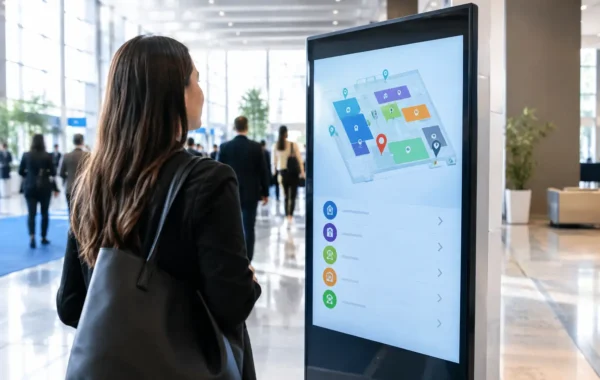
Online registration is only half of the experience. The onsite environment needs a clear, controlled check-in process with the right combination of staffed counters, self-service kiosks, tablets, QR code scanning, and badge printing.
For a high-volume event, self-service check-in can reduce queues and free staff to assist exceptions. For a premium or highly curated audience, a staffed welcome desk may better suit the experience. Many events need both: self-service lanes for pre-registered guests and a dedicated support desk for VIPs, walk-ins, name corrections, and registration issues.
Confirm that check-in status updates immediately across all devices. A guest who checks in at a kiosk should not appear as unregistered on a host’s tablet moments later. If internet connectivity is disrupted, ask how the system behaves and whether staff can continue checking in through a local or offline process.
Plan Credentials and Access at the Same Time
Registration software should work closely with the credential strategy. A basic printed badge may be enough for a small internal event, while a conference with controlled sessions, executive lounges, or restricted zones may need QR-enabled, RFID, or NFC credentials.
The value is not simply in adding technology. It is in matching access rules to the event design. A speaker may require all-area access, an exhibitor may need early venue entry, and a standard delegate may only access selected sessions. The software must handle these categories accurately and pass the correct information to badge production and access devices.
Ask whether badges can be printed onsite, reprinted quickly, and visually differentiated by audience type. Consistent branding, readable names, and clear access markers help staff manage the venue while reinforcing the quality of the event.
Test the Software Against the Physical Event Environment
Event registration is not purely a software purchase. It depends on scanners, printers, kiosks, tablets, networking, power, counter layouts, signage, and trained personnel. A platform that performs well in a browser demo can struggle if the onsite hardware is poorly configured or the registration area is undersized.
Request a proposed registration layout based on attendance volume and arrival patterns. The plan should show where guests scan confirmations, collect or print badges, receive assistance, and move into the event space. It should also account for queue management, accessible access routes, power requirements, and spare equipment.
For large or time-sensitive events, hardware redundancy matters. A second badge printer, spare scanners, backup laptops, and replacement consumables can prevent a small failure from becoming an attendee-facing problem. Smart Track Zone approaches registration as part of a complete digital infrastructure, combining software configuration with equipment staging, branded credential production, and specialized onsite support.
Protect Attendee Data Without Sacrificing Usability
Registration data may include contact information, job titles, dietary preferences, access categories, and consent records. Your event team should understand where this information is stored, who can access it, how long it will be retained, and how it can be exported or deleted after the event.
Look for role-based access controls so a front-desk operator can check in guests without accessing full administrative records. Confirm that the platform captures consent where required and allows communications preferences to be managed clearly. If multiple agencies, venue teams, or corporate departments are involved, define data ownership before registration opens.
Usability remains just as important as security. Administrators should be able to update guest details, find registrations quickly, and create reports without requiring technical intervention for every change. A secure platform that is too difficult to operate can lead teams back to uncontrolled spreadsheets and manual workarounds.
Consider UAE-Specific Event Requirements
Events in the UAE often involve tight production windows, high expectations for hospitality, multinational guest lists, and venues with specific operational procedures. The registration solution should support English and Arabic requirements where needed, as well as international mobile numbers, diverse naming conventions, and clear communications for overseas attendees.
For public-facing events, exhibitions, and major launches, permit timing and venue approvals can affect what is possible onsite. Registration layouts, digital displays, branded counters, and visitor-flow plans should be aligned with the venue and event production schedule early, not introduced on installation day.
Local availability also matters. A supplier may offer excellent software but rely on remote assistance when an onsite printer jams or a kiosk needs reconfiguration. For critical events, confirm who will be present, how quickly they can respond, and what escalation route exists outside standard business hours.
Evaluate Branding as Part of the Registration Experience
The registration area is often the first physical touchpoint guests see. A generic tablet setup and plain badge can undermine a premium event concept, while a carefully branded check-in zone sets expectations before guests enter the room.
Choose a provider that can carry visual standards across registration emails, landing pages, QR confirmations, kiosk screens, counters, badges, lanyards, directional signage, and digital displays. This does not mean every item must be heavily branded. It means every element should feel intentional and consistent.
Review proofs before production begins. Check logo placement, color accuracy, type size, attendee-name legibility, and badge stock. For executive events and customer-facing activations, these details directly influence the perceived quality of the organization hosting them.
Build a Procurement Scorecard Before Selecting a Provider
Price matters, but the lowest software license cost can become expensive if it creates manual work, delayed check-in, or separate suppliers for printing, hardware, and support. Compare proposals using the same operational criteria so stakeholders can make a clear decision.
A useful scorecard should assess:
- Registration workflows, approvals, communications, and reporting
- Check-in speed, kiosk options, scanner compatibility, and offline contingency
- Badge production, RFID or QR credential capabilities, and reprint process
- Data controls, user permissions, and export requirements
- Hardware availability, venue setup, and onsite technical support
- Branding quality, production proofs, and delivery timelines
- Total project cost, including staffing, equipment, consumables, and backup plans
Ask for clear responsibility boundaries. Identify who builds registration forms, uploads attendee data, manages email testing, configures access rules, stages devices, installs counters, trains staff, and stays onsite during live operations. The more precise the scope, the fewer surprises appear during event week.
Run a Realistic Pre-Event Test
Do not wait for doors to open to test the system. Run a registration rehearsal using real attendee categories, actual badge templates, event devices, and the intended network. Scan a QR code, print a badge, test a reprint, process a walk-in, and confirm that reports update correctly.
Include the people who will operate the desk, not only the project managers. A short rehearsal helps staff understand exception handling and reveals confusing steps before guests are present. It also gives the technical team time to adjust kiosk screens, printer settings, user permissions, and queue flow.
The best registration software is the system that makes arrival feel effortless while giving the event team complete control behind the scenes. Choose a partner that can prove the workflow, prepare the physical environment, and remain accountable when the guest experience is live.